Three apps.
One training system.
Physio3D is exercise software for iPhone, iPad and Apple Vision Pro. View exercises in 3D, put exercise programmes together, and share your training plans as PDFs with your practice. Choose the app for your device and the way you want to plan.
Training. Precise. Personal.
One software suite, three apps, three ways into training — alongside your therapy. Currently free.
Exercises
Six body regions. With instructions and selected 3D demos on the website.
Apps
Choose between iPhone, iPad, and Apple Vision Pro.
Goal
Exercises that fit into your day.
Choose your app
All three apps share the same motion-capture exercise catalog. Choose the app that suits your device and how you want to train.



Which Physio3D app is right for you?
| Feature | Vision ProApple Vision Pro | RealtimeiPhone / iPad | TraineriPhone / iPad | |||||||||||||||||||||||||||||||||||||||||||||||||||||||||||||||||||||||||||||||||
|---|---|---|---|---|---|---|---|---|---|---|---|---|---|---|---|---|---|---|---|---|---|---|---|---|---|---|---|---|---|---|---|---|---|---|---|---|---|---|---|---|---|---|---|---|---|---|---|---|---|---|---|---|---|---|---|---|---|---|---|---|---|---|---|---|---|---|---|---|---|---|---|---|---|---|---|---|---|---|---|---|---|---|---|---|
| Exercises and training | ||||||||||||||||||||||||||||||||||||||||||||||||||||||||||||||||||||||||||||||||||||
| Shared exercise catalog | Motion capture | Motion capture | Motion capture | |||||||||||||||||||||||||||||||||||||||||||||||||||||||||||||||||||||||||||||||||
| Find exercises | Search and body regions | Search and body regions | Search and body regions | |||||||||||||||||||||||||||||||||||||||||||||||||||||||||||||||||||||||||||||||||
| Exercise instructions | Technique and muscles worked | Technique and muscles worked | Technique and muscles worked | |||||||||||||||||||||||||||||||||||||||||||||||||||||||||||||||||||||||||||||||||
| Spoken exercise guidance | Yes | Yes | Yes | |||||||||||||||||||||||||||||||||||||||||||||||||||||||||||||||||||||||||||||||||
| 3D trainer | Life-size in your space or fully immersive | Rotatable 3D view and AR | Rotatable 3D view and AR | |||||||||||||||||||||||||||||||||||||||||||||||||||||||||||||||||||||||||||||||||
| Muscles worked in each exercise | 3D anatomy model in your space† | Same rotatable 3D anatomy model | In the exercise details | |||||||||||||||||||||||||||||||||||||||||||||||||||||||||||||||||||||||||||||||||
| Training environments | Mixed reality and fully immersive worlds | AR in your space | AR in your space | |||||||||||||||||||||||||||||||||||||||||||||||||||||||||||||||||||||||||||||||||
| Mini trainer activated by hand gesture | Yes | Unavailable | Unavailable | |||||||||||||||||||||||||||||||||||||||||||||||||||||||||||||||||||||||||||||||||
| Spatial bubble warm-up | Yes | Unavailable | Unavailable | |||||||||||||||||||||||||||||||||||||||||||||||||||||||||||||||||||||||||||||||||
| In-room training menu and big screen | Yes | Unavailable | Unavailable | |||||||||||||||||||||||||||||||||||||||||||||||||||||||||||||||||||||||||||||||||
| Position the 3D trainer in your space | Place in the training space | Move, rotate, and resize in AR | Move, rotate, and resize in AR | |||||||||||||||||||||||||||||||||||||||||||||||||||||||||||||||||||||||||||||||||
| Exercise speed from 0.5× to 2× | Yes | Unavailable | Unavailable | |||||||||||||||||||||||||||||||||||||||||||||||||||||||||||||||||||||||||||||||||
| Exercise favorites | Yes | Unavailable | Unavailable | |||||||||||||||||||||||||||||||||||||||||||||||||||||||||||||||||||||||||||||||||
| Offline training | Yes | Yes | Yes | |||||||||||||||||||||||||||||||||||||||||||||||||||||||||||||||||||||||||||||||||
| App languages | English, French, German, and Spanish | English, French, German, and Spanish | English, French, German, and Spanish | |||||||||||||||||||||||||||||||||||||||||||||||||||||||||||||||||||||||||||||||||
| Assistance and planning | ||||||||||||||||||||||||||||||||||||||||||||||||||||||||||||||||||||||||||||||||||||
| Physia AI · Real-time conversation** | Plans, exercises, reports, and voice control in the training space | Plans, exercises, reports, and voice control in AR | Unavailable | |||||||||||||||||||||||||||||||||||||||||||||||||||||||||||||||||||||||||||||||||
Compare Physia’s toolsVision Pro and Realtime share the core tools. Vision Pro uses them in the training space and spatial windows. Realtime uses them in the app and in AR on iPhone or iPad. The Vision Pro column includes features from the development version. The feature set depends on your installed app version.
| ||||||||||||||||||||||||||||||||||||||||||||||||||||||||||||||||||||||||||||||||||||
| Physia explains individual muscles** | Highlighted and explained in the training space† | Highlighted and explained on the 3D model | Unavailable | |||||||||||||||||||||||||||||||||||||||||||||||||||||||||||||||||||||||||||||||||
| On-device Apple Intelligence* | Chat, plan creation, and reports† | Chat, plan creation, and reports | Chat, plan creation, and reports† | |||||||||||||||||||||||||||||||||||||||||||||||||||||||||||||||||||||||||||||||||
| Siri and Shortcuts | Plans, exercises, and activity† | Plans, exercises, and activity | Plans, exercises, and activity† | |||||||||||||||||||||||||||||||||||||||||||||||||||||||||||||||||||||||||||||||||
| Training plan from guided intake | Questionnaire or Physia** | Physia** or Apple Intelligence* | Apple Intelligence*† | |||||||||||||||||||||||||||||||||||||||||||||||||||||||||||||||||||||||||||||||||
| Training calendar | Plan overview and reminders† | Plan overview and calendar entries | Dedicated training calendar | |||||||||||||||||||||||||||||||||||||||||||||||||||||||||||||||||||||||||||||||||
| Training plans and reminders | Training days and reminders† | Plan weeks and days, set dates and reminders | Plan editor, calendar, and reminders | |||||||||||||||||||||||||||||||||||||||||||||||||||||||||||||||||||||||||||||||||
| Choose and change exercises in a plan | For individual days or weeks† | For individual or multiple days and weeks | In the manual editor | |||||||||||||||||||||||||||||||||||||||||||||||||||||||||||||||||||||||||||||||||
| Set the number of sets | Per exercise and training day† | Per exercise and training day | In the plan editor | |||||||||||||||||||||||||||||||||||||||||||||||||||||||||||||||||||||||||||||||||
| Plan notes | For weeks, days, and exercises† | For weeks, days, and exercises | Plan instructions | |||||||||||||||||||||||||||||||||||||||||||||||||||||||||||||||||||||||||||||||||
| Plan progress and next exercise | In the spatial training plan | In the plan view and in AR | In the plan view and in AR | |||||||||||||||||||||||||||||||||||||||||||||||||||||||||||||||||||||||||||||||||
| Undo a plan change in a Physia conversation** | Unavailable | For supported changes | Unavailable | |||||||||||||||||||||||||||||||||||||||||||||||||||||||||||||||||||||||||||||||||
| Activity and sharing | ||||||||||||||||||||||||||||||||||||||||||||||||||||||||||||||||||||||||||||||||||||
| Exercise tracking | Exercises and training time | Exercises and training time | Exercises and training time | |||||||||||||||||||||||||||||||||||||||||||||||||||||||||||||||||||||||||||||||||
| Training statistics | Charts, heatmap, and training patterns | Charts and activity summaries | Charts and plan progress | |||||||||||||||||||||||||||||||||||||||||||||||||||||||||||||||||||||||||||||||||
| Training times and patterns | Heatmap, weekdays, and hours | Activity history | Activity history | |||||||||||||||||||||||||||||||||||||||||||||||||||||||||||||||||||||||||||||||||
| Progress by training plan | Plan history and goals reached | Sets, daily and weekly goals | Plan progress and sessions | |||||||||||||||||||||||||||||||||||||||||||||||||||||||||||||||||||||||||||||||||
| AI reports | Plan reports as PDFs† | Plan reports and day or week comparisons | On-device activity report*† | |||||||||||||||||||||||||||||||||||||||||||||||||||||||||||||||||||||||||||||||||
| Compare training days and plan weeks | In AI plan reports† | In AI plan reports | Unavailable | |||||||||||||||||||||||||||||||||||||||||||||||||||||||||||||||||||||||||||||||||
| Activity reports as PDFs | Plan reports† | Activity and plan reports | Activity report | |||||||||||||||||||||||||||||||||||||||||||||||||||||||||||||||||||||||||||||||||
| Training plans as PDFs | Import and share | Import and share | Import and share | |||||||||||||||||||||||||||||||||||||||||||||||||||||||||||||||||||||||||||||||||
| Controls and system | ||||||||||||||||||||||||||||||||||||||||||||||||||||||||||||||||||||||||||||||||||||
| System requirements | visionOS 26+ | iOS / iPadOS 26+ | iOS / iPadOS 18+ | |||||||||||||||||||||||||||||||||||||||||||||||||||||||||||||||||||||||||||||||||
| Guided app tours | Spatial areas and app windows† | Guided screens | Guided screens† | |||||||||||||||||||||||||||||||||||||||||||||||||||||||||||||||||||||||||||||||||
| Find exercises in Spotlight | Unavailable | Yes | Yes† | |||||||||||||||||||||||||||||||||||||||||||||||||||||||||||||||||||||||||||||||||
| Free download | App Store | App Store | App Store | |||||||||||||||||||||||||||||||||||||||||||||||||||||||||||||||||||||||||||||||||
- *Local Apple Intelligence requires a compatible device with OS 26 or later and Apple Intelligence enabled and available.
- **Physia uses OpenAI Realtime and requires internet access and your own OpenAI API key. OpenAI usage charges may apply.
- †Marked features refer to the development versions of Vision Pro or Trainer. The feature set depends on your installed app version.
- Which details carry over when you import a plan depends on the PDF and the app.
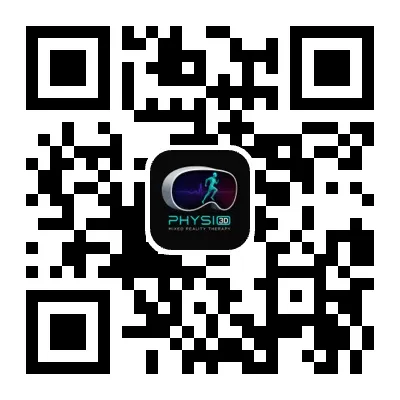
Scan the QR code
Scan the QR code with your device and download the app straight from the App Store.
Physio3D Realtime
iOS
Physia AI to go

Physio3D
Apple Vision Pro
XR Training
Physio3D Trainer
iOS
Manual. Offline.
Start your training
Choose the app that best fits your needs — and get going today.
All apps are currently free on the App Store.